Cloud migration, phase by phase — what actually happens
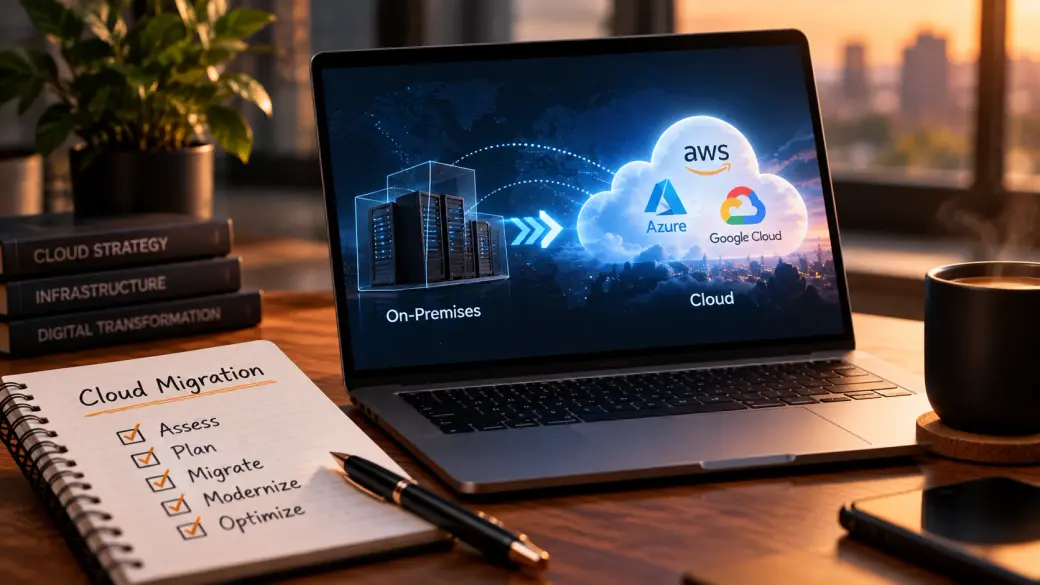
“Move to the cloud” sounds like one decision. It isn’t. It’s a sequence of smaller decisions, each of which can save you a lot of money or quietly cost you a lot — and the order you make them in matters more than most people expect.
A migration that goes well is boring: workloads move, the lights stay on, the bill is roughly what you planned, and six months later nobody talks about it. A migration that goes badly is memorable for the wrong reasons — a surprise invoice, an app that’s slower than it was on-premises, a “quick lift-and-shift” that turned into a year of firefighting. The difference usually isn’t the cloud provider. It’s whether the work was done in the right order, with eyes open.
Here’s what each phase actually involves, in plain terms, and where the real decisions hide.
What “migrating to the cloud” really means — and what it doesn’t fix
At its simplest, cloud migration is moving your applications, data, and infrastructure off hardware you own and onto infrastructure you rent from a provider like AWS, Microsoft Azure, or Google Cloud. Instead of buying servers and running a data centre, you pay for computing, storage, and services on demand.
That shift is genuinely useful. It turns a big up-front capital expense into a running cost you can scale up and down. It hands off the undifferentiated work — racking hardware, replacing failed disks, patching the physical layer — to someone whose whole business is doing it well. And it puts a huge catalogue of managed services within reach that would be impractical to build yourself.
What it does not do is fix a badly built application. If something is slow, fragile, or expensive to run on your own servers, moving it unchanged to the cloud usually makes it slow, fragile, and differently expensive. The cloud rewards workloads designed to use it; it punishes the assumption that it’s just someone else’s computer. Knowing that going in saves you the most common disappointment.
The five phases
Most real migrations move through five phases. You can rush them or skip them, but the ones you skip tend to come back as problems later.
1. Assess. Before anything moves, you build an honest inventory: every application, what it depends on, how much it’s actually used, what it costs to run today, and how important it is to the business. This is the least glamorous phase and the one most often shortchanged — and skipping it is why migrations blow their budgets. You can’t plan a move you haven’t measured. Assessment is also where you find the surprises: the forgotten server everything secretly depends on, the licence that doesn’t transfer, the app nobody owns anymore.
2. Plan. With the inventory in hand, you decide what moves, in what order, and how. You group workloads into waves, pick a migration approach for each (the six options below), set a target architecture, and — critically — agree on what “done” and “successful” mean before you start. A good plan sequences the easy, low-risk workloads first to build confidence and a repeatable process, and leaves the tangled, business-critical ones for when the team knows what it’s doing.
3. Migrate. The actual move. Data gets copied or replicated, workloads get stood up in the new environment, you test that they behave, and you cut over — often workload by workload rather than all at once. Done well, this phase is almost anticlimactic, because the thinking happened in the first two phases. The goal here is a controlled, reversible move, not a heroic weekend.
4. Modernize. Once a workload is running in the cloud, you can start using the cloud properly: replacing self-managed databases with managed ones, breaking a monolith into services where it genuinely helps, adding autoscaling, swapping cron jobs for managed schedulers. This is where a lot of the long-term value lives — but it’s also optional per workload, and not everything deserves it.
5. Optimize. The ongoing phase that never really ends: watching the bill, right-sizing over-provisioned resources, buying reserved or committed capacity for steady workloads, turning off what nobody uses, and tightening security. The cloud’s pay-for-what-you-use model is a gift only if someone is actually watching what you use.
The six ways to move a workload (the “6 R’s”)
For each application, the Plan phase picks one of six approaches. They’re worth knowing by name because they trade effort against payoff very differently:
- Rehost (“lift and shift”) — move it as-is to cloud servers. Fastest and lowest-risk; captures little of the cloud’s real value.
- Replatform (“lift and reshape”) — move it with a few targeted improvements, like swapping your self-run database for a managed one. Often the best effort-to-reward ratio.
- Refactor — re-architect the app to be cloud-native. Highest effort and cost; the biggest long-term payoff for workloads that justify it.
- Repurchase — drop the app and move to a SaaS equivalent (e.g. retire a self-hosted email or CRM for a hosted product).
- Retire — switch it off. The Assess phase almost always finds things nobody needs anymore.
- Retain — leave it where it is, for now. Some workloads aren’t worth moving, or can’t be yet.
Most portfolios end up as a mix. The mistake is treating the whole estate as one approach — usually rehosting everything because it’s fast — and then wondering why the cloud bill is high and nothing feels better.
Should you modernize before or after you migrate?
This is the question that splits a room, and the honest answer is: after, for most workloads — but assess first.
Modernizing before you move (refactoring on your old infrastructure, then migrating the improved version) sounds tidy, but it stretches the project, keeps you paying for two environments longer, and means you’re re-architecting against the constraints you’re about to leave behind. Modernizing after (get it running in the cloud first, improve it once it’s there) gets you off the old hardware sooner, starts the cost clock on the new model, and lets you modernize with real usage data instead of guesses.
The exception is a workload so broken that lifting it unchanged would be pointless — if it won’t run acceptably rehosted, modernizing it first (or refactoring as you move) is the honest call. That’s exactly the kind of judgement the Assess phase exists to inform. “Move then improve” is the sensible default; “it depends” is the honest caveat.
Where migrations actually go wrong
A few failure patterns show up again and again:
- Skipping Assess. You can’t budget or sequence what you haven’t measured. Almost every cost overrun traces back here.
- Lift-and-shift everything. Rehosting the whole estate is quick but leaves you paying cloud prices for on-premises habits — over-provisioned, always-on, and optimized for nothing.
- No cost ownership. The bill is everyone’s job, so it’s no one’s. Without someone watching it from day one, “pay for what you use” becomes “pay for what you forgot to turn off.”
- Big-bang cutovers. Moving everything in one weekend maximizes risk for no real benefit. Waves are slower and far safer.
- Treating security as a later step. The cloud’s shared-responsibility model means some security is the provider’s job and some is firmly yours. Assuming the provider has it all covered is how data gets exposed.
When not to migrate
Migration is a tool, not a destination. There are good reasons to stay put, at least for some workloads: a stable, low-change application that already runs cheaply on paid-off hardware; strict data-residency or latency requirements that on-premises meets more simply; or a system so close to end-of-life that moving it is throwing good money after bad. “Retain” is a legitimate answer, and a mature cloud strategy uses it deliberately rather than treating anything left on-premises as a failure.
The goal was never “100% in the cloud.” It’s the right workload, in the right place, at a cost you understand.
Common questions
How long does a cloud migration take?
Anything from weeks for a small, simple estate to a year or more for a large, tangled one. The Assess phase is what turns that from a guess into an estimate — which is one more reason not to skip it.
Will the cloud be cheaper than our data centre?
It can be, but it isn’t automatic. Lift-and-shift without optimization is often more expensive. The savings come from right-sizing, committed-use discounts, turning off idle resources, and modernizing where it pays — the Optimize phase, done continuously.
Should we go multi-cloud from the start?
Usually not. Running well on one provider is hard enough; spreading across several multiplies the complexity and the skills you need. Multi-cloud is a deliberate choice for specific reasons, not a sensible default.
What's the single biggest predictor of a smooth migration?
A thorough Assess phase and an honest definition of “done” agreed before anything moves. Boring, and decisive.